Design labels and route prints from one workspace
Create reusable templates in the browser, bind values at print time, and send jobs to printers through a local agent.
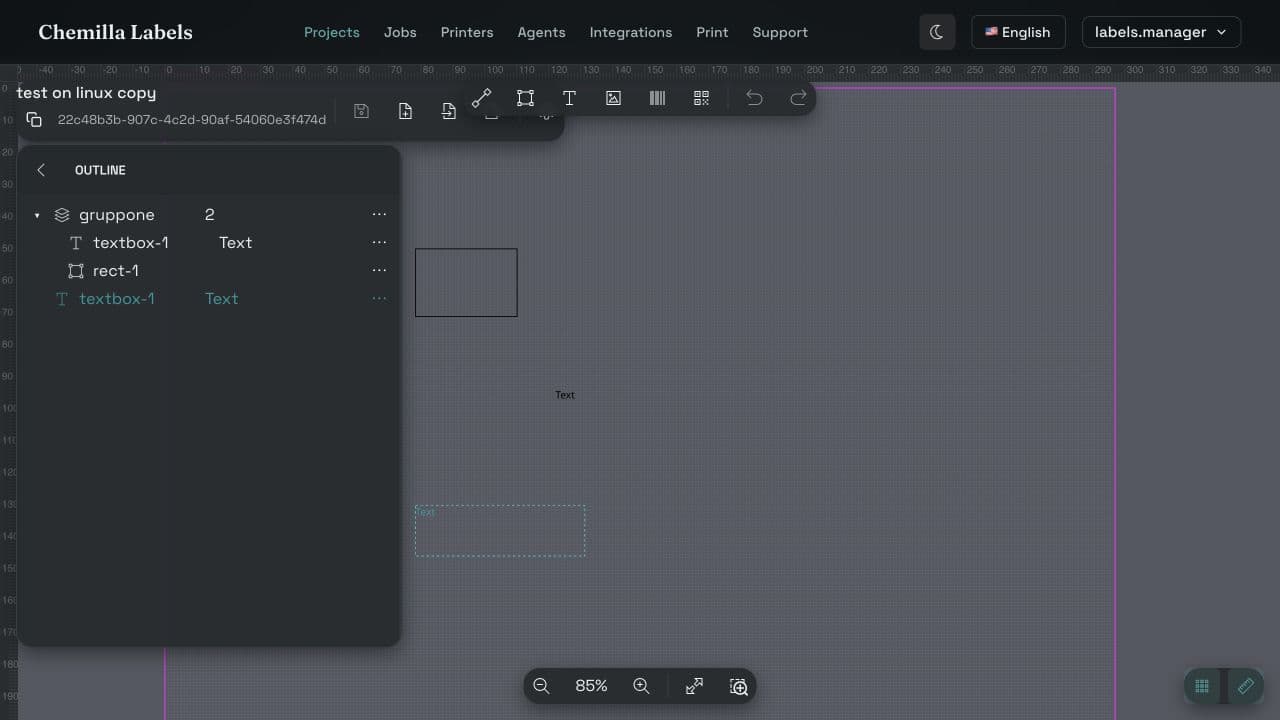
From blank canvas to completed job
The current product follows one visible workflow. Each step has a dedicated workspace screen and a practical guide.
- 01
Create a template
Create a project, then set the label width, height, unit, and DPI.
- 02
Build the design
Add text, shapes, images, barcodes, and QR codes; bind fields that will change at print time.
- 03
Connect an agent
Pair a local Print Agent with the tenant and let it discover the printers it can reach.
- 04
Print and follow
Choose the route and data, enqueue the job, then inspect its status and reason from Jobs.
A template editor built around reusable label geometry
Templates preserve the physical setup and design objects needed to render the same label again with different values.
Read the template guide- Exact canvas setupDefine width, height, display unit, and DPI when the template is created.
- Visible design objectsPlace text, lines, shapes, images, barcodes, and QR codes directly on the canvas.
- Dynamic print valuesBind text, image, barcode, and QR objects to named fields supplied with a print request.
- Project organizationKeep related templates together in projects and reopen them from the workspace.
Print requests stay explicit
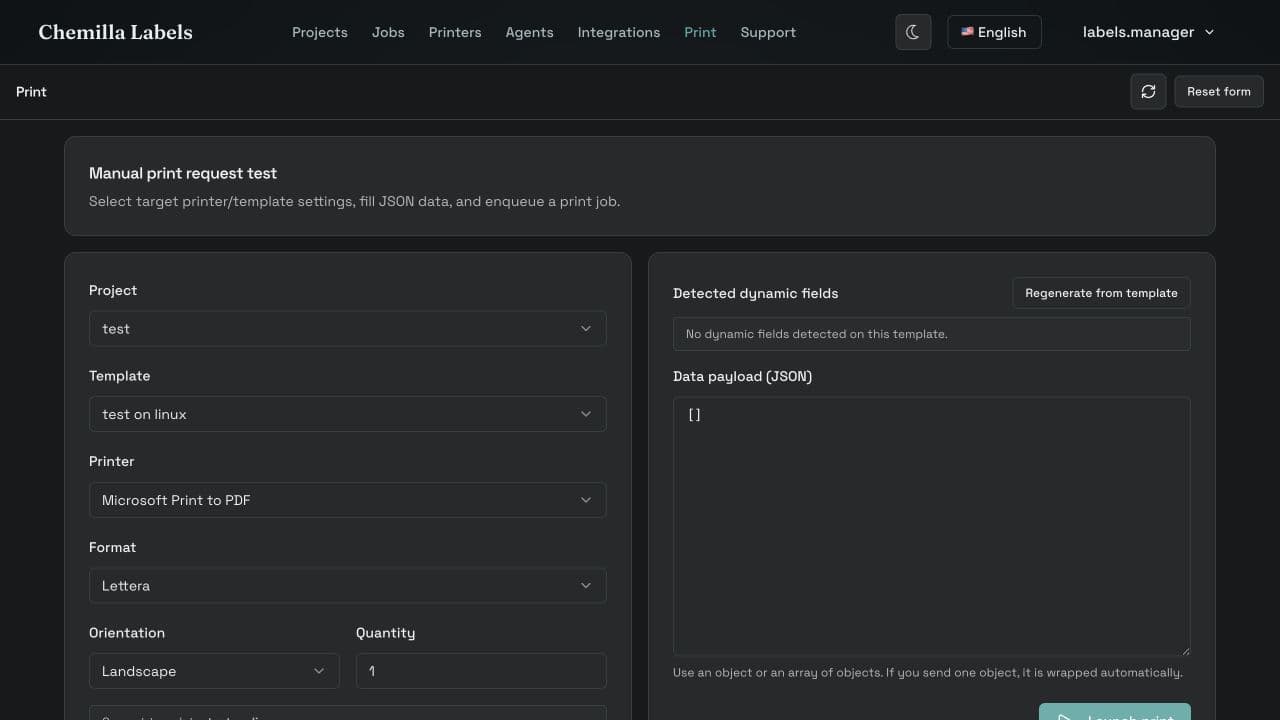
The Print screen exposes the route-defining inputs before a job is submitted, so operators can verify what will be sent.
- Template and printer selectionChoose a saved template and one printer discovered through a connected agent.
- Physical print optionsSet the available paper format, orientation, and positive copy count.
- Data per labelSupply one or more records whose keys match the dynamic fields in the template.
- Observable job stateUse the returned job ID, status, and reason when monitoring or diagnosing a print.
Local agents keep printers close to the network
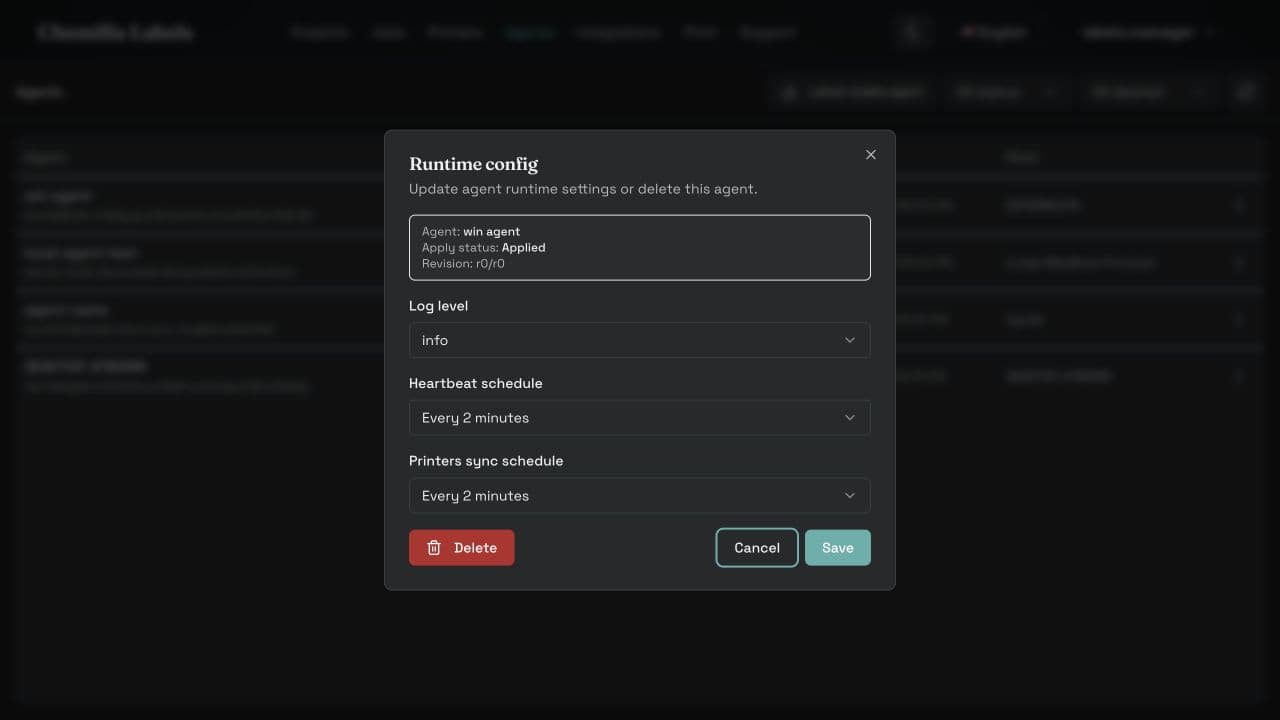
The agent runs where the printers are reachable. The workspace remains the control surface for pairing, configuration, printers, and jobs.
- Tenant pairingApprove an agent code from the correct tenant before it can receive work.
- Printer discoveryInspect the printers and paper forms reported by each connected agent.
- Runtime configurationReview and update supported server, logging, polling, update, and printer settings.
- Job controlsInspect job state and use the actions available for that state and your permissions.
Automate printing through the documented API
The supported external integration is deliberately narrow: obtain a service-account token and enqueue a print job with POST /v2/jobs.
{
  "idT": "template-id",
  "printerId": "printer-id",
  "format": "100 x 50 mm",
  "numberCopies": 2,
  "data": [
    { "batch": "A1", "lotNumber": "LOT-2042" }
  ]
}- Dedicated credentialsCreate a tenant-scoped service account instead of reusing a person's browser token.
- Explicit tenant contextSend the tenant header shown in the integration configuration with every request.
- One documented surfaceExternal clients enqueue print jobs; other v2 routes remain internal unless your deployment contract says otherwise.
Need the implementation details?
The documentation covers every workflow shown here, including setup, payloads, expected states, and troubleshooting.